Gym mode
Lock the workout and the tab bar disappears. Your set lines stay editable, and nothing else takes a tap.
Aveldo is a workout tracker for the gym. You log sets, reps and weights, follow your own routines and see the previous session's numbers on every line. The rest timer starts by itself, gym mode keeps the screen locked between sets, and every workout is kept in your history.
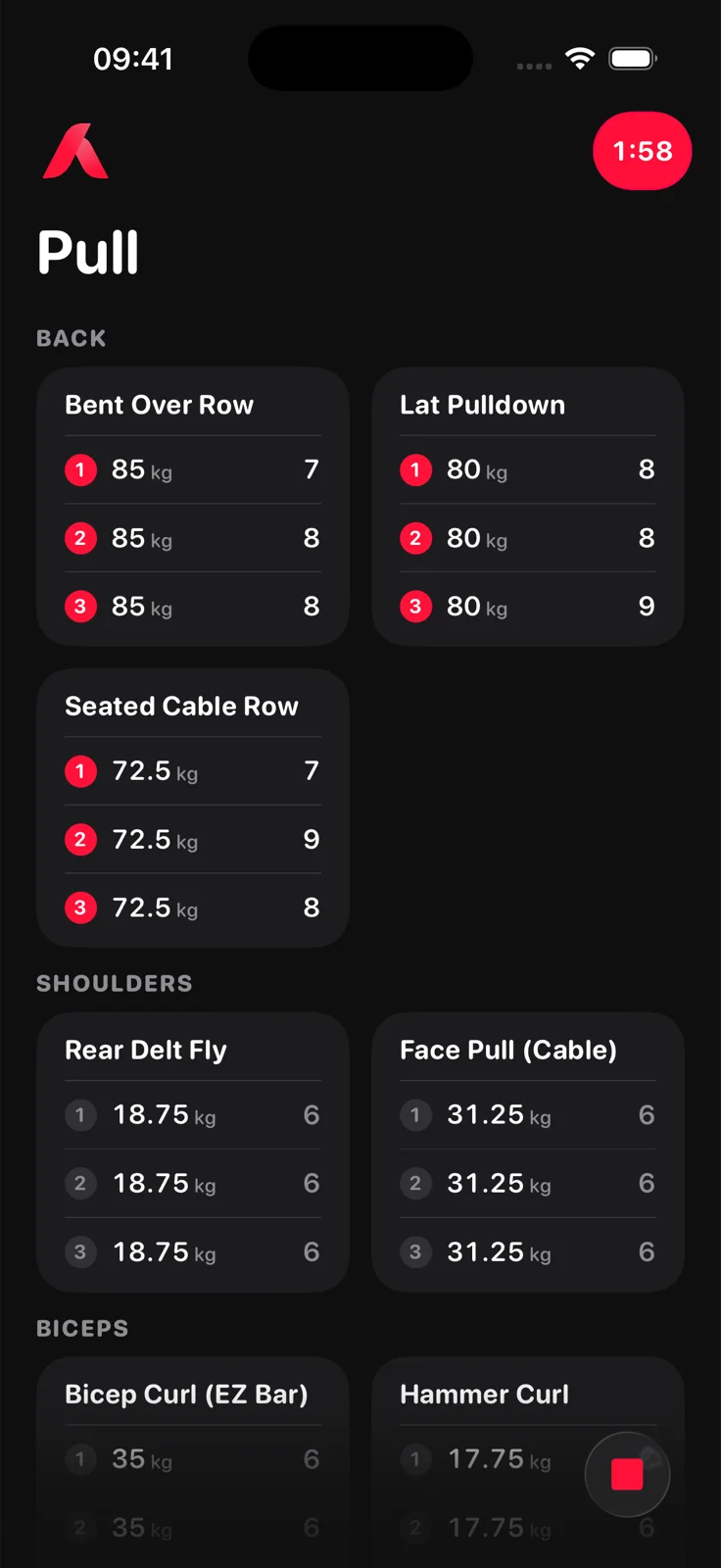
A useful workout tracker records, for every set, the exercise, the weight and the reps, with the date of the session. From that it can show what you did last time and whether you are progressing. Aveldo records exactly that, plus the duration of each gym session for your gym time.
Aveldo keeps the log deliberately small: no notes fields you will not fill in, no rating per set, no photos. The numbers that decide progress are weight, reps and date, and those are what every screen is built on.
From opening the app to the post workout comparison, a workout is four steps.
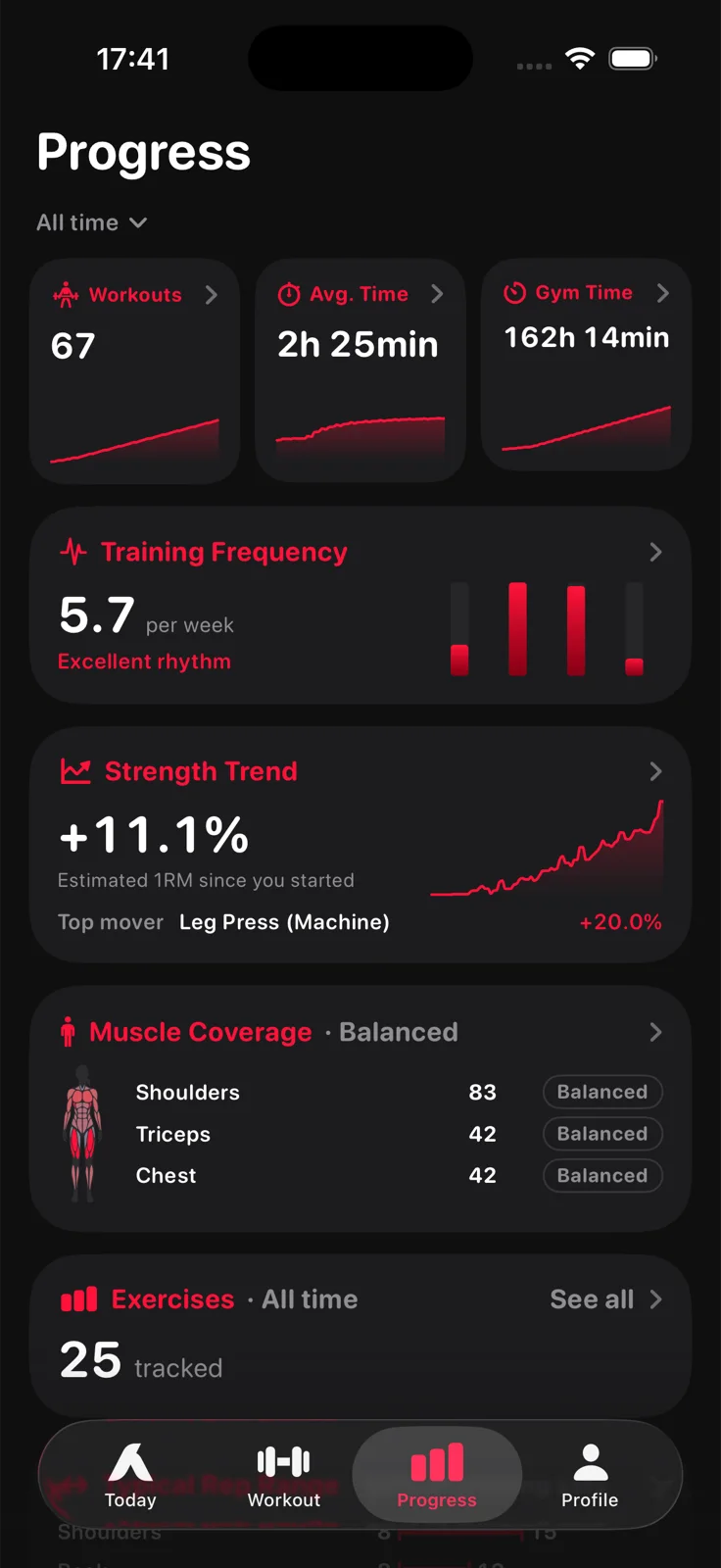
The Progress screen reads the sets you log and nothing else. Workouts, average time and gym time; training frequency against your weekly goal; the Strength Trend based on estimated one rep max; muscle coverage; and a chart for every exercise you track.
Small details that matter when your hands are chalked and the next set is in ninety seconds.
Lock the workout and the tab bar disappears. Your set lines stay editable, and nothing else takes a tap.
Starts when a set is logged, counts down in the corner, in the Dynamic Island and on the Lock Screen.
Learn more ›Weight and reps from last time are on each set line, so the target is visible while you lift.
Deleted workouts, exercises and sets go to a Tray, where you can restore them until you empty it yourself.
Pick your unit once. Weight steps are round figures in that unit.
Everything is stored on your iPhone. Sign in only if you want cloud backup and sync with Aveldo Pro.
Aveldo is a workout logging and progress tracking app, not a coaching or community app. It has no exercise videos or form tutorials, no social feed, no programme marketplace and no nutrition tracking. It runs on iPhone only.
That focus is the point. If you already know how to perform your exercises and want to know whether your training is working, the log and the numbers are what you need, and they are what Aveldo is built around.
Aveldo is a workout logging app built only for iPhone (iOS 18.0 or later). It logs sets, reps and weights on one tile per exercise, shows last session's numbers on every line, starts the rest timer automatically and works offline without an account. Whether it is the right one for you depends on what you want: it is made for lifters who want a fast log and progress views, not tutorials or a social feed.
Yes. Every set is a line with a weight and a rep count, in kilograms or pounds. Bodyweight exercises log reps alone, and timed exercises such as planks log their duration.
Yes. Every logged workout stays in the app for as long as you keep it. The Progress screen's free windows cover the last 7, 30 and 90 days; Aveldo Pro adds 6 months, a year and all time.
Yes. Aveldo needs no account and stores everything on your iPhone. Signing in with Apple or Google is optional and is what enables cloud backup and sync for Aveldo Pro.
Yes. Logging, the rest timer, routines and every progress view work without a connection. Only the optional cloud backup and sync needs one.
Yes, with Aveldo Pro. Export Data writes your whole training log to a CSV file you keep, and Import Data reads the same format back in.

Free on the App Store for iPhone. No account needed to start.
Download on the App Store