Training frequency
Training days per week over the window, measured against your weekly goal.
Learn more ›Aveldo is a gym progress tracker for iPhone. From the sets you log it shows whether your strength is improving, which lifts and muscle groups moved, how often you train and how much time you spend in the gym. Every number is arithmetic on your own log, never an estimate from a questionnaire.
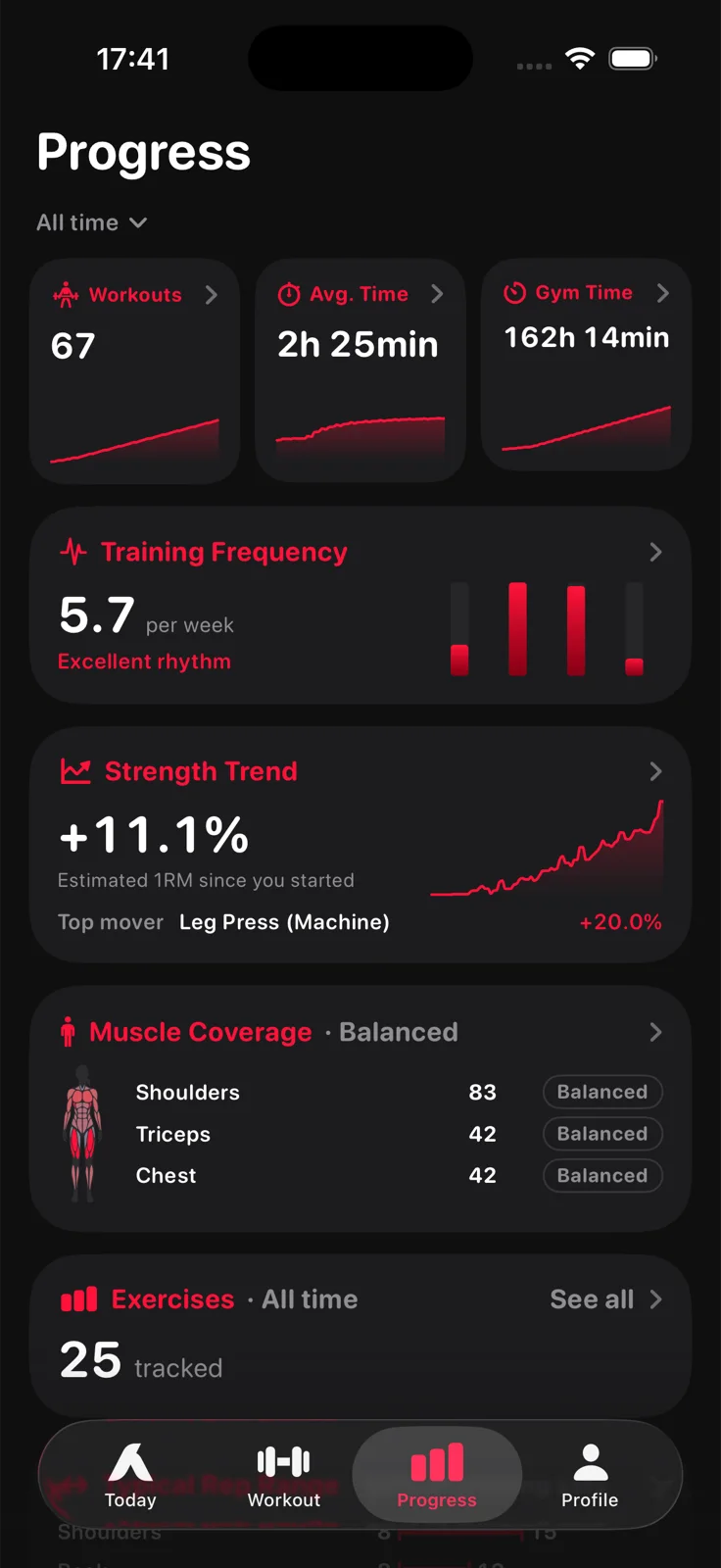
Aveldo measures progress with estimated one rep max. For each exercise it takes the best set of a session, estimates the one rep max from weight and reps, and compares the latest session in the window with the first. The Strength Trend is the average of those changes across your exercises, and the Body screen shows the same change per muscle group.
Sets of 1 to 15 reps count. Bodyweight and timed exercises stay out of the strength measure, because the log holds no resistance for them. An exercise needs sessions on at least two days in the window before it can speak, and when nothing has two days yet the card shows a neutral dash rather than a made up zero.
The Strength Trend card on the Progress screen shows the change as a percentage with the curve behind it, and names the top mover. Its detail screen draws the curve day by day and lists every exercise that moved, biggest first, regressions included.
Every exercise has its own chart in Exercises: estimated one rep max or weight, with the best day and your average reps. The chart's window sits around your own level, so a small step up is visible instead of being flattened against zero.
The Body screen puts the same measure on a figure. Every muscle group is labelled with its estimated one rep max change over the window, front and back, in a male or female style. Muscle Coverage on the Progress screen shows which groups received sets and whether the split is balanced.
With Aveldo Pro, a tap on a muscle opens that group's own strength trend, and a second face of the figure shades each group by how many sets it took.
All progress features ›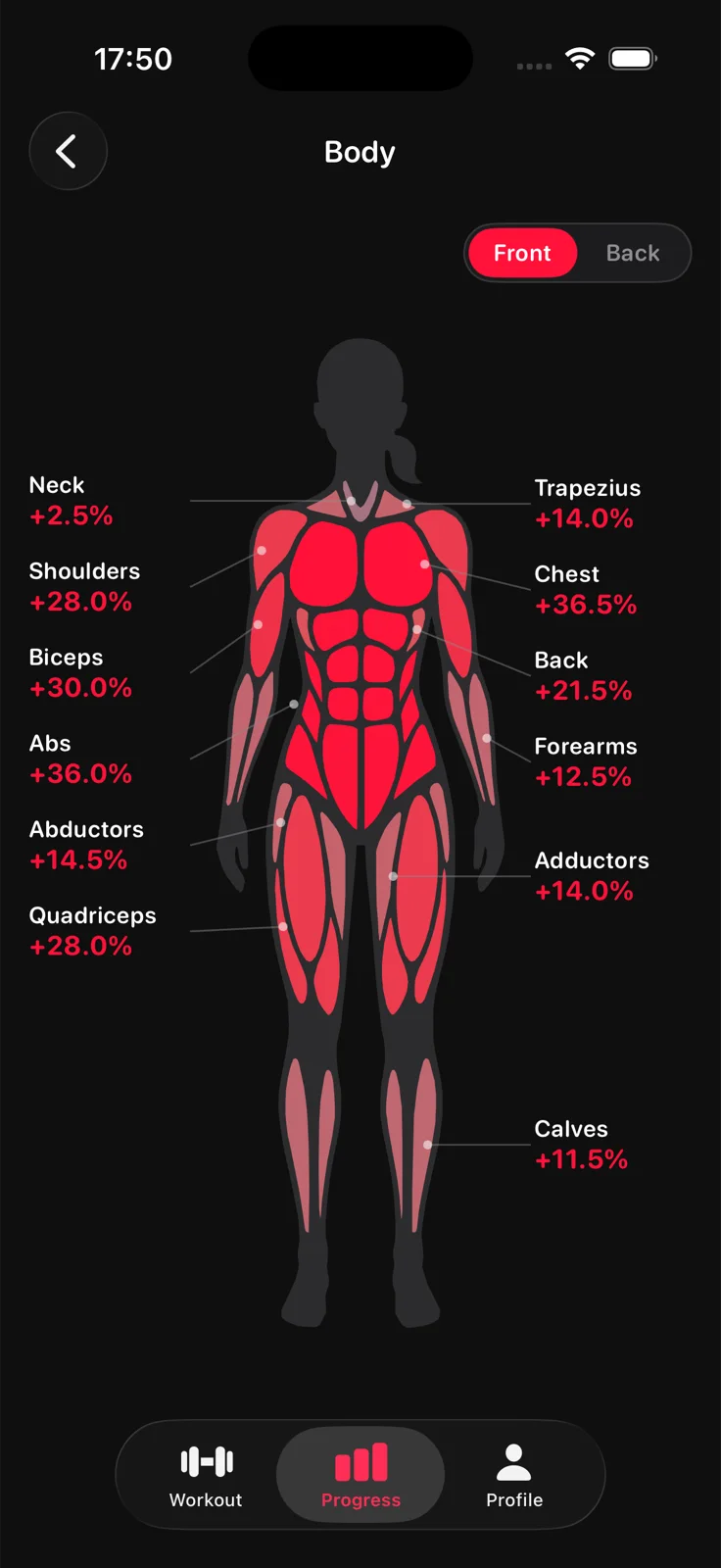
Strength is the headline. These cards say whether the training behind it is consistent.
Training days per week over the window, measured against your weekly goal.
Learn more ›How many sessions, how long they took on average, and the total time in the gym for the window.
Sets per muscle group, with a note on whether the split is balanced.
Right after a workout: strength change against the routine's previous session, top improvements and new bests.
Learn more ›Consecutive weeks in which you hit your training goal, on the Today screen and on the Progress bar.
Learn more ›Which muscle groups are ready to train, and which are still recovering.
Learn more ›Aveldo does this with a Strength Trend based on estimated one rep max: for each exercise it compares the latest session in the window with the first, averages the changes, and names the lift that moved most. Each exercise also has its own chart of estimated one rep max and weight over time.
From the sets you log. The best set of each session gives an estimated one rep max from weight and reps. The Strength Trend compares the latest session with the first in the window per exercise and averages the changes. The Body screen applies the same measure per muscle group. Consistency is your training days against your weekly goal.
No. It is an estimate from weight and reps using the Epley formula, taken from sets of 1 to 15 reps. You never test a max. Aveldo uses it only to compare sessions with each other, so the trend is meaningful even though the absolute number is an estimate.
Aveldo counts sets per muscle group in Muscle Coverage and shows volume figures in the post workout comparison, but its headline progress measure is estimated one rep max, because more weight for fewer reps should not read as no progress.
Yes, with Aveldo Pro, which opens the 6 month, 1 year and all time windows. The free version shows the last 7, 30 and 90 days.
Sixteen: chest, back, lower back, shoulders, trapezius, neck, biceps, triceps, forearms, abs, quadriceps, hamstrings, glutes, calves, adductors and abductors. Every exercise in the library is filed under one of them, and custom exercises take the group you pick.

Log a few sessions in Aveldo and the Strength Trend starts drawing itself.
Download on the App Store