Rest length
15 seconds to 5 minutes, in 15 second steps. The default is 90 seconds.
Log a set and the rest starts. Aveldo's rest timer needs no tap: when you finish typing a set's reps, the countdown begins, in the corner of the workout screen, in the Dynamic Island and on the Lock Screen.
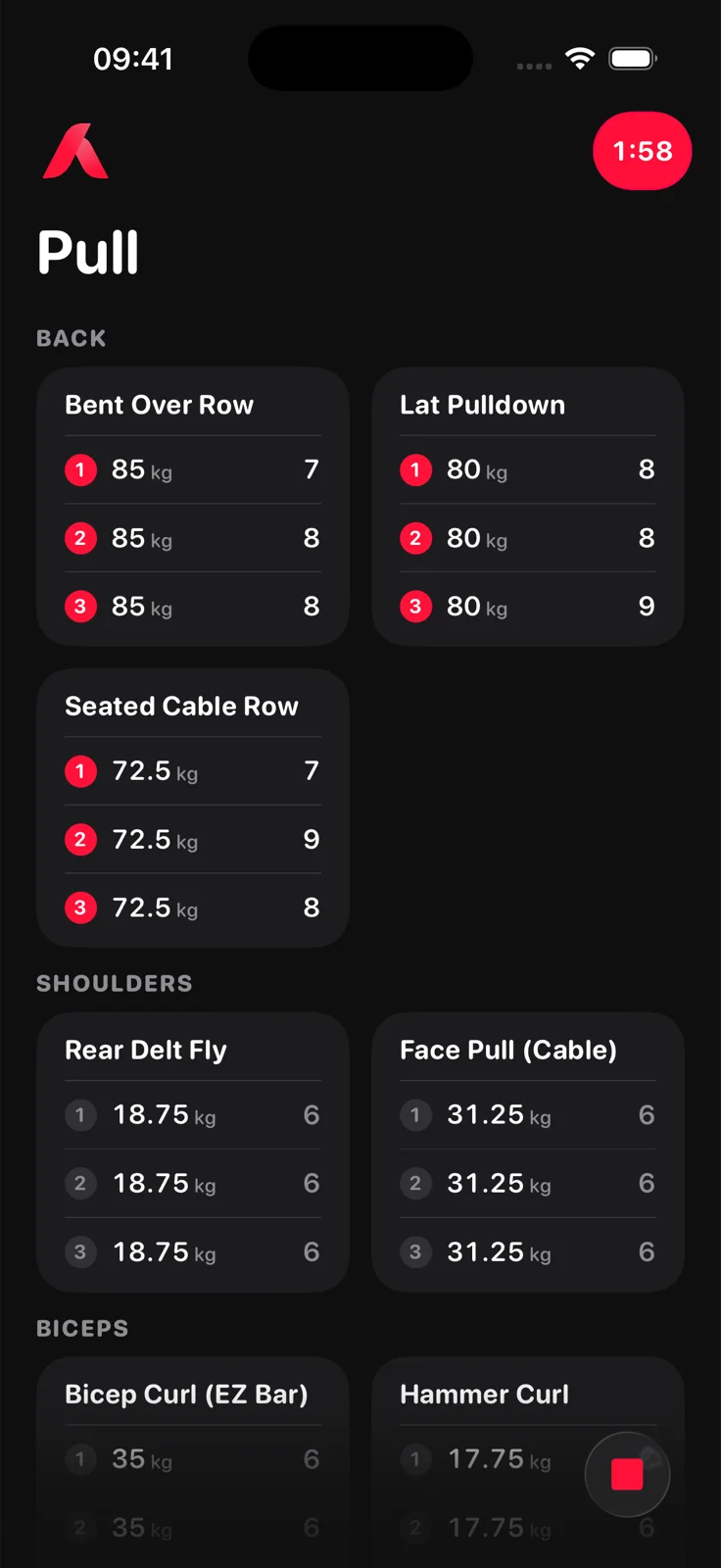
The timer starts when the focus leaves a set line whose reps you just typed. It counts down your chosen rest length and ends at zero. If you leave the app, the countdown continues as a Live Activity in the Dynamic Island and on the Lock Screen, so you see it without unlocking the phone.
Four settings under Personalization, and one bottom bar button.
15 seconds to 5 minutes, in 15 second steps. The default is 90 seconds.
On by default. Switch it off and the timer only runs when you start it from the bottom bar.
When a set completes its exercise, skip the rest: the walk to the next station is the rest.
Time only, ring only, ring and time, or off.
The bottom bar's timer button starts a rest whenever you want one, with the same length.
The countdown in the Dynamic Island and on the Lock Screen, ending at zero. No overrun, no notification to dismiss.
Yes. When you finish typing a set's reps and leave the line, the rest timer starts on its own. No tap is needed. You can also start it by hand from the bottom bar.
Aveldo does: the rest starts when a set is logged, counts down in the corner of the workout screen and in the Dynamic Island and on the Lock Screen through a Live Activity, and can skip the rest after an exercise's last set.
Yes. Personalization offers 15 seconds to 5 minutes in 15 second steps. The default is 90 seconds.
Yes. The countdown runs as a Live Activity, so it is in the Dynamic Island while you use other apps and on the Lock Screen when the phone is locked.
Yes. Switch off the automatic start in Personalization and start rests by hand, or set the timer style to off. You can also skip the rest after the last set of an exercise, since the next exercise usually needs a walk anyway.

Free on the App Store for iPhone. No account needed to start.
Download on the App Store