Workout Routines

Create a routine once, Push, Pull, Legs or your own split, from the built in exercise library or your own exercises, set the weights, and start it every time with last session's numbers on every line.

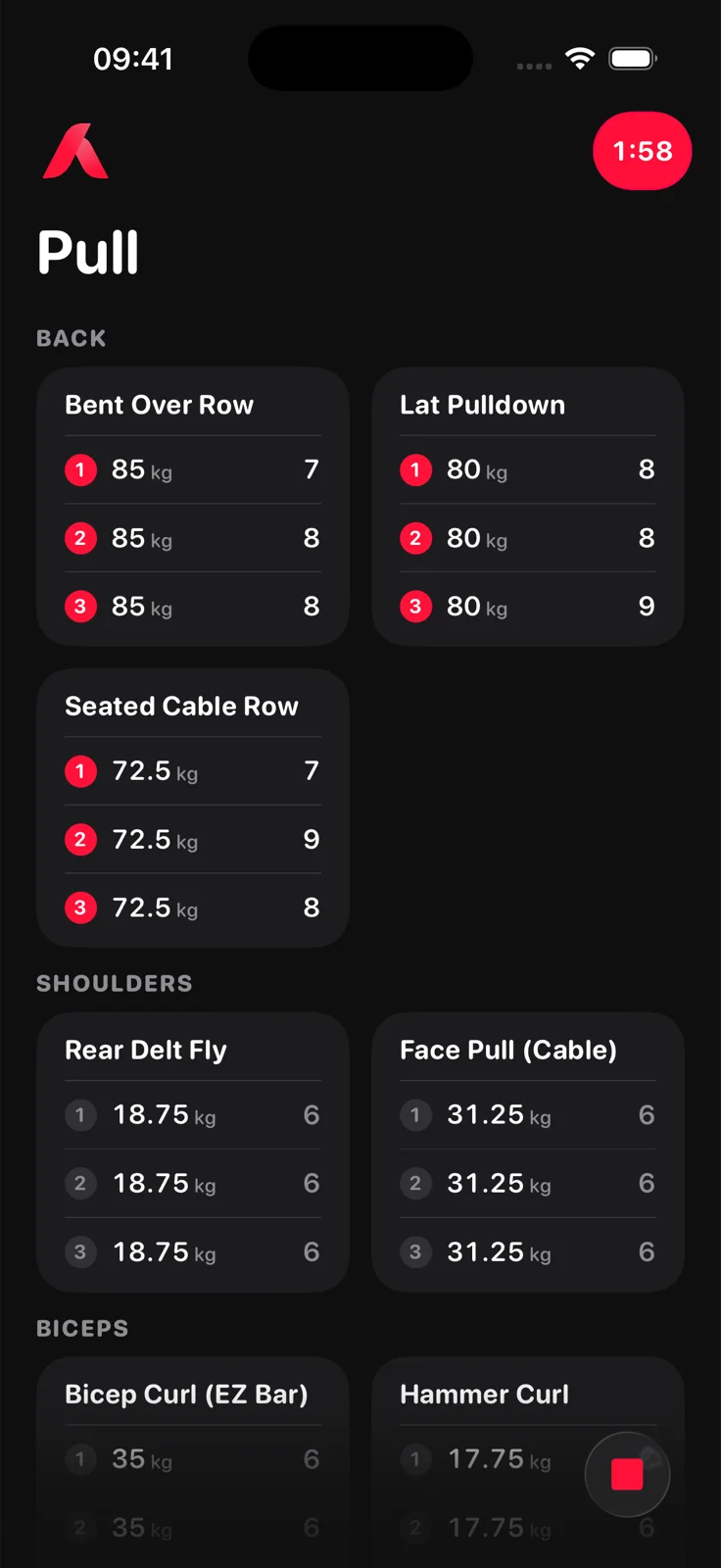
Aveldo workout screen in gym mode: a Pull routine with Bent Over Row, Lat Pulldown, Seated Cable Row, Rear Delt Fly and Face Pull tiles, each set line showing weight in kilograms and reps, and the rest timer counting down in the corner

How do routines work in Aveldo?

A routine is a named list of exercises with their sets. You build it from the exercise library, where each movement offers its equipment variants, or from custom exercises you add yourself. Starting a routine opens a workout with every set line prefilled from your last session of each exercise; finishing it saves the session to your history and updates the routine's weights for next time.

Building a routine

From the library or your own exercises

Everything a routine holds, and how it is set up.

Exercise library

Movements filed under their muscle group, each with its equipment variants: barbell, dumbbell, cable, machine, Smith machine or bodyweight. The variant becomes part of the exercise's name, so bench on the Smith machine and bench with dumbbells keep separate histories.

Custom exercises

Unlimited. Name, muscle group, how it is logged, and an optional starting weight.

Starting weights

When you add exercises with no history, Aveldo asks for a starting weight per exercise so the first session's lines are prefilled. Optional.

Sets, rep range and step per exercise

Your defaults from Personalization apply to every exercise, and the Edit sheet overrides them per exercise.

Reorder

Drag tiles into the order you train them.

Up to four routines free

Aveldo Pro removes the limit. Nothing standing is ever locked or hidden.
With Aveldo Pro

Routines that know their state

Two views that read a routine's own sessions.

Routine readiness PRO

On the Recovery Details screen, one dial per routine with the recovery of the muscles its sets load.

Learn more ›

Strength trend per routine PRO

The Strength Trend detail's Routine face shows one routine's sessions alone: the curve, and the movers within it.

Learn more ›

Frequently asked questions

How many routines can I create in Aveldo?

Up to four standing routines in the free version. Aveldo Pro removes the limit. A routine moved to the Tray frees its place.

Does Aveldo have workout templates or programmes?

No premade programmes. You build your own routines from the exercise library or custom exercises, which is deliberate: Aveldo is for lifters who already know what they want to train.

Can I add my own exercises?

Yes, without limit. A custom exercise takes a name, a muscle group, how it is logged (weight and reps, reps alone, or a duration) and an optional starting weight.

Can I reorder exercises in a routine?

Yes. Reorder mode lets you drag tiles into the order you train them.

Can I change sets, rep range or weight step per exercise?

Yes. The Edit exercise sheet sets the number of sets, the rep range and the weight step for that exercise, overriding your defaults from Personalization.

Build your routine once.

Free on the App Store for iPhone. No account needed to start.

Download on the App Store